

Download gBrainy – Mental Workout, Brain Training, Logic Games, Memory Puzzles, Calculation Challenges
Overview
gBrainy is a mental workout application designed for users who seek meaningful cognitive challenges beyond the typical brain training games. It stands out in the crowded productivity and utility space by offering puzzles that are genuinely difficult, targeting logic, memory, and calculation skills. The app aims to enhance mental agility through structured, engaging gameplay, making it suitable for students, professionals, and lifelong learners who value intellectual growth.
While originally developed for Linux, gBrainy has been adapted for Windows, expanding its reach to a broader audience. The developer did not provide additional technical details about the app’s origins or development philosophy. Despite its functional, no-frills graphics, the gameplay experience remains smooth and focused on mental engagement.
Real-world use cases include daily cognitive training, preparation for competitive exams, or simply maintaining mental sharpness. In the mobile app ecosystem, gBrainy fills a niche for users who find many brain games too simplistic and are looking for a more substantial mental challenge. Its availability across platforms underscores its role as a durable, accessible tool for cognitive development.
Key Features & Functionality
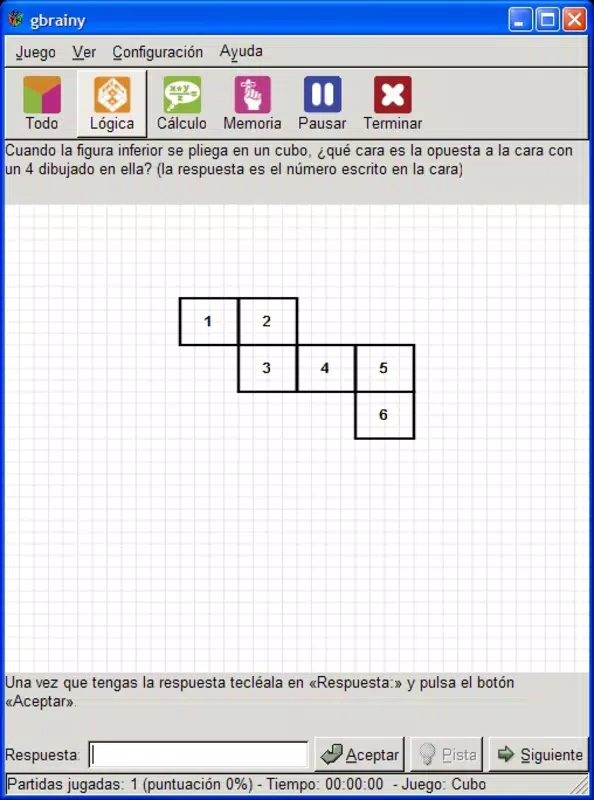
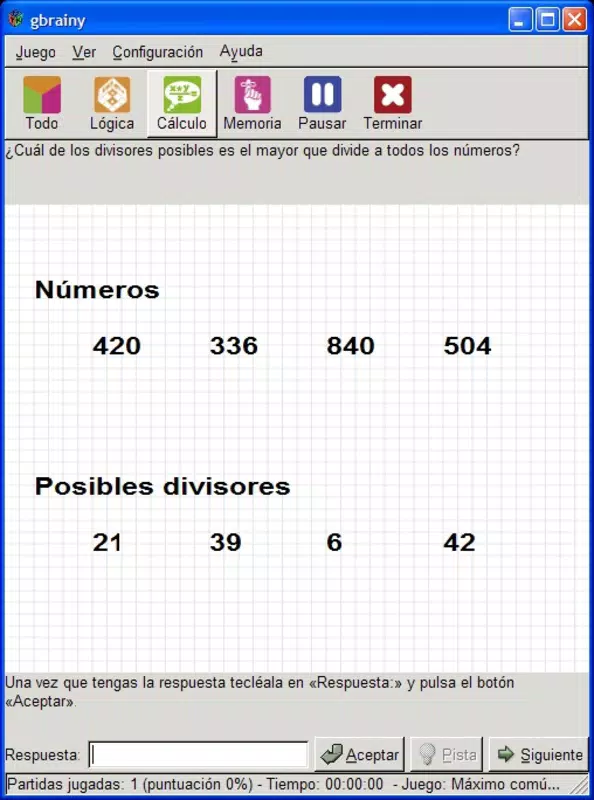
- Diverse Game Types: gBrainy offers a range of puzzle categories including logic, memory, and calculation games. Each category targets a different cognitive function, enabling users to train multiple mental skills in one application. For example, logic puzzles encourage deductive reasoning, memory games enhance recall and attention, and calculation challenges improve mental arithmetic speed and accuracy.
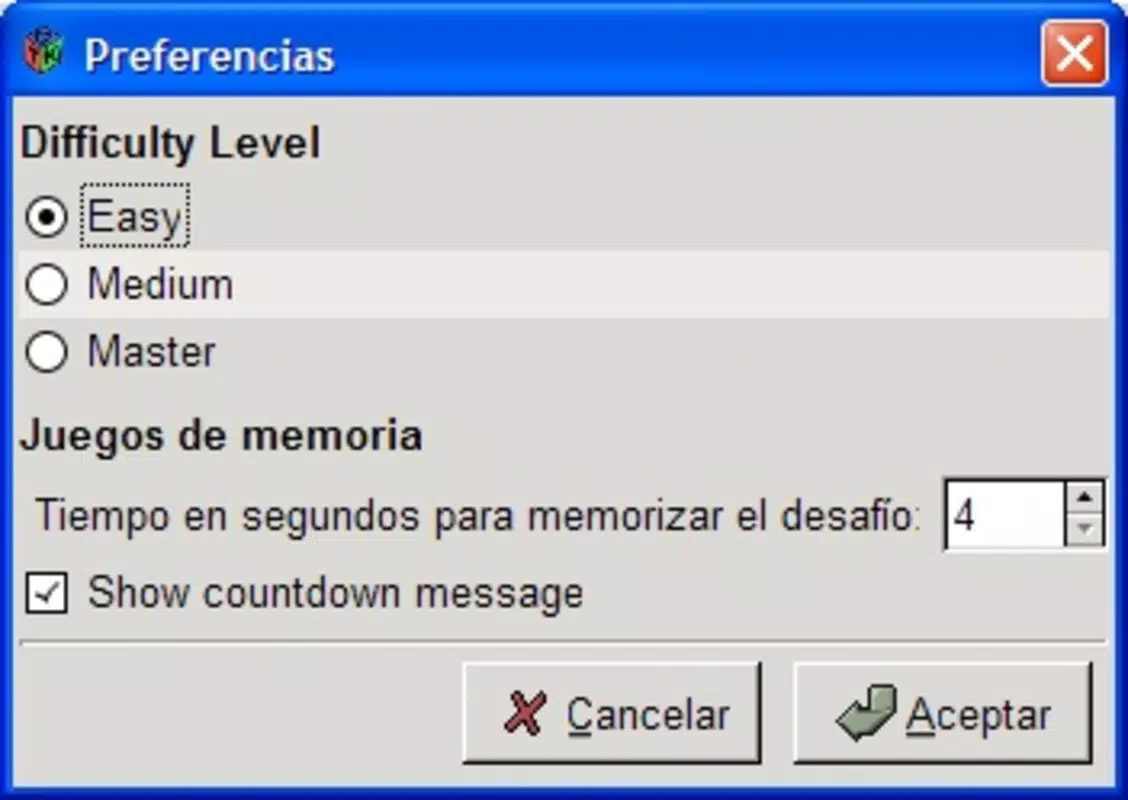
- Progressive Difficulty Levels: The app features three distinct difficulty levels—beginner, intermediate, and advanced—allowing users to start at their comfort level and progress as their skills improve. This structure supports long-term engagement and measurable growth, especially for users who want to track their cognitive development over time.
- Flexible Test Taking: Users can switch between game types at any time without interruption. This freedom allows for customized training sessions, such as focusing on memory drills in the morning and logic puzzles in the evening, promoting adaptability and sustained motivation.
- Challenging Puzzles: Unlike many brain games that rely on repetitive or easy tasks, gBrainy presents puzzles that require deep thinking and sustained concentration. This design ensures that users are consistently pushed to their mental limits, making the experience more rewarding and effective for skill development.
- Platform Versatility: Originally created for Linux, gBrainy has been ported to Windows, increasing its accessibility. Although the developer did not specify mobile platform availability, the core gameplay remains consistent across systems, preserving the user experience.
These features collectively support a comprehensive cognitive training regimen, making gBrainy a valuable tool for users who prioritize depth over simplicity in mental exercises.
Interface, UX & Performance
The user interface of gBrainy is straightforward and functional, prioritizing usability over visual flair. The layout is minimal, with clear navigation between game types and difficulty settings. Users can access different puzzle categories through a central menu, and the flow between screens is intuitive.
Although the developer did not list formal performance metrics, the gameplay experience is described as smooth and responsive. The app maintains consistent performance across different device categories, suggesting efficient code optimization. Responsiveness is maintained even during longer sessions, which is crucial for cognitive tasks requiring sustained focus.
Stability appears to be reliable, with no reported issues related to crashes or freezes. The visual style is utilitarian, with basic graphics that do not distract from the core challenge. While the interface lacks modern polish, it remains accessible and easy to navigate for users of all ages.
The absence of animations or complex transitions helps maintain focus on the puzzles themselves. Overall, the UX design aligns with the app’s purpose: to deliver mental challenges without unnecessary distractions. The developer did not specify minimum OS requirements or compatibility details, so users should verify system compatibility before installation.
Platform Compatibility & Technical Requirements
gBrainy is available on Windows, as confirmed by its release history. The app’s platform compatibility is limited to this operating system, with no official information provided about Android or iOS availability. The software version is not listed in the input, nor is the file size.
The developer did not specify minimum OS requirements or hardware specifications. Although the app was originally designed for Linux, its Windows adaptation suggests compatibility with modern Windows systems. Users should ensure their devices meet standard Windows requirements for running desktop applications.
The developer did not disclose whether the app supports touch input or tablet use. Specific requirements were not listed, so users should proceed with caution and verify system compatibility before installation.
Pros and Cons
Pros
- Offers genuinely challenging puzzles that go beyond basic brain games
- Features diverse game types targeting logic, memory, and calculation skills
- Three difficulty levels allow for personalized, scalable training
- Flexible navigation enables users to switch between game types freely
- Available on Windows, expanding access beyond its original Linux base
Cons
- Visual design is functional but lacks modern aesthetic appeal
- Developer did not provide detailed technical specifications or system requirements
- No information on mobile platform availability (Android, iOS)
- Performance on older or low-end devices is not documented
- Interface may feel outdated to users accustomed to modern app designs
FAQ
Is gBrainy available for Android or iOS?
The developer did not specify whether gBrainy is available on Android or iOS. The app is confirmed to run on Windows, and its original platform was Linux.
Can I use gBrainy without an internet connection?
Yes, gBrainy functions offline. The puzzles and game mechanics are self-contained within the application, requiring no ongoing internet access.
Is gBrainy free to download and use?
The pricing information was not provided. Users should check the official source or platform store for current pricing details.
How often should I use gBrainy for best results?
There is no official recommendation. However, consistent daily use—such as 10–15 minutes per session—may support gradual cognitive improvement.
Are the puzzles in gBrainy suitable for children?
While the app does not specify an age rating, its challenging nature may be more suitable for older teens and adults. Younger users may find the puzzles difficult without guidance.
Final Thoughts
gBrainy delivers a focused, intellectually rigorous experience in a world saturated with simplistic brain games. Its strength lies in offering real mental challenges across logic, memory, and calculation domains, supported by adjustable difficulty and flexible gameplay. While the interface and graphics are minimal, they serve the app’s core purpose without distraction.
The absence of detailed technical data is a limitation, but the app’s proven track record on Windows and its cross-platform roots suggest reliability. For users seeking a serious mental workout, gBrainy is a standout choice. It’s particularly valuable for those who want to move beyond surface-level engagement and invest in meaningful cognitive development.
Download gBrainy now and experience a brain training app that truly tests your limits.


